Your first CNC project doesn’t need to be perfect...
It needs to feel possible!

$247
what you get :
✓ The Full Video Course (18 Lessons)
Look, I'm not going to make you sit through hours of theory before you touch your machine. You're going to open Lesson 1, and by the end of it, you'll understand exactly how your router thinks.
By Unit 4, you'll be making your first cut. Not a test cut. A real project you can hold in your hands.
Every lesson is filmed at the machine, not a whiteboard. You'll see exactly what I see, hear what I hear, and learn to read your cuts the way I learned growing up in my parents' furniture factory.
✓ The Feeds & Speeds Shortcut
This is the part that trips up every single beginner. You Google feeds and speeds for walnut and get 47 different answers.None of them know your machine.
I'm giving you the exact method I use to dial in the perfect settings in under 5 minutes — for any material, any bit, any machine. No calculators. No guessing. Just four numbers and your ears.
This Isn't Theory. This Is What Comes Off My Machine.
I don't teach from textbooks. I teach from sawdust. Every single project below was designed, toolpathed, and cut on a 3-axis CNC router — the same type of machine sitting in your garage right now.
Custom Signage That Pays
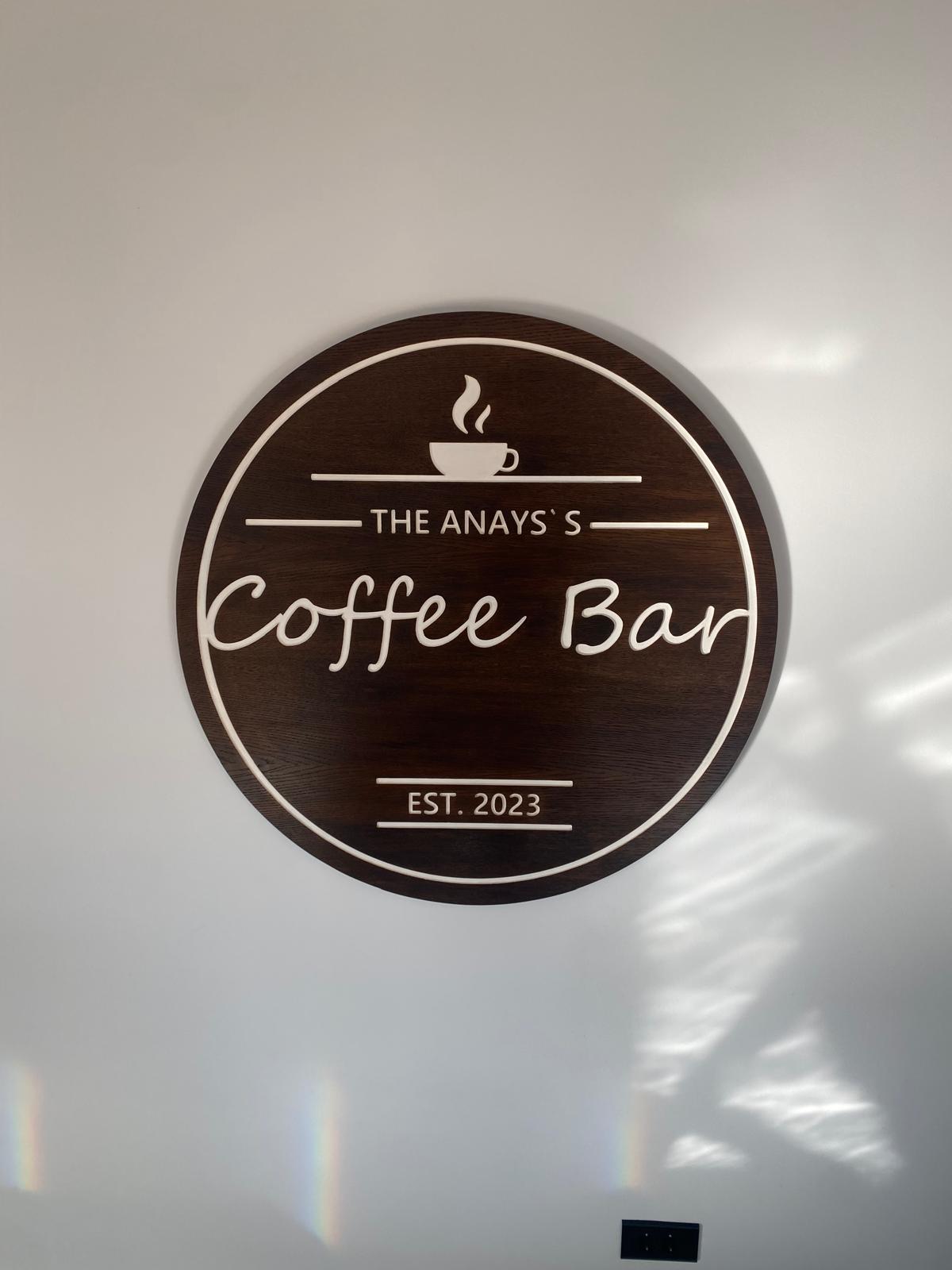
"The Anays Coffee Bar"
Round Sign Dark-stained oak. V-carved lettering. One afternoon of work. The client paid $350 for this piece. The material cost me $18.
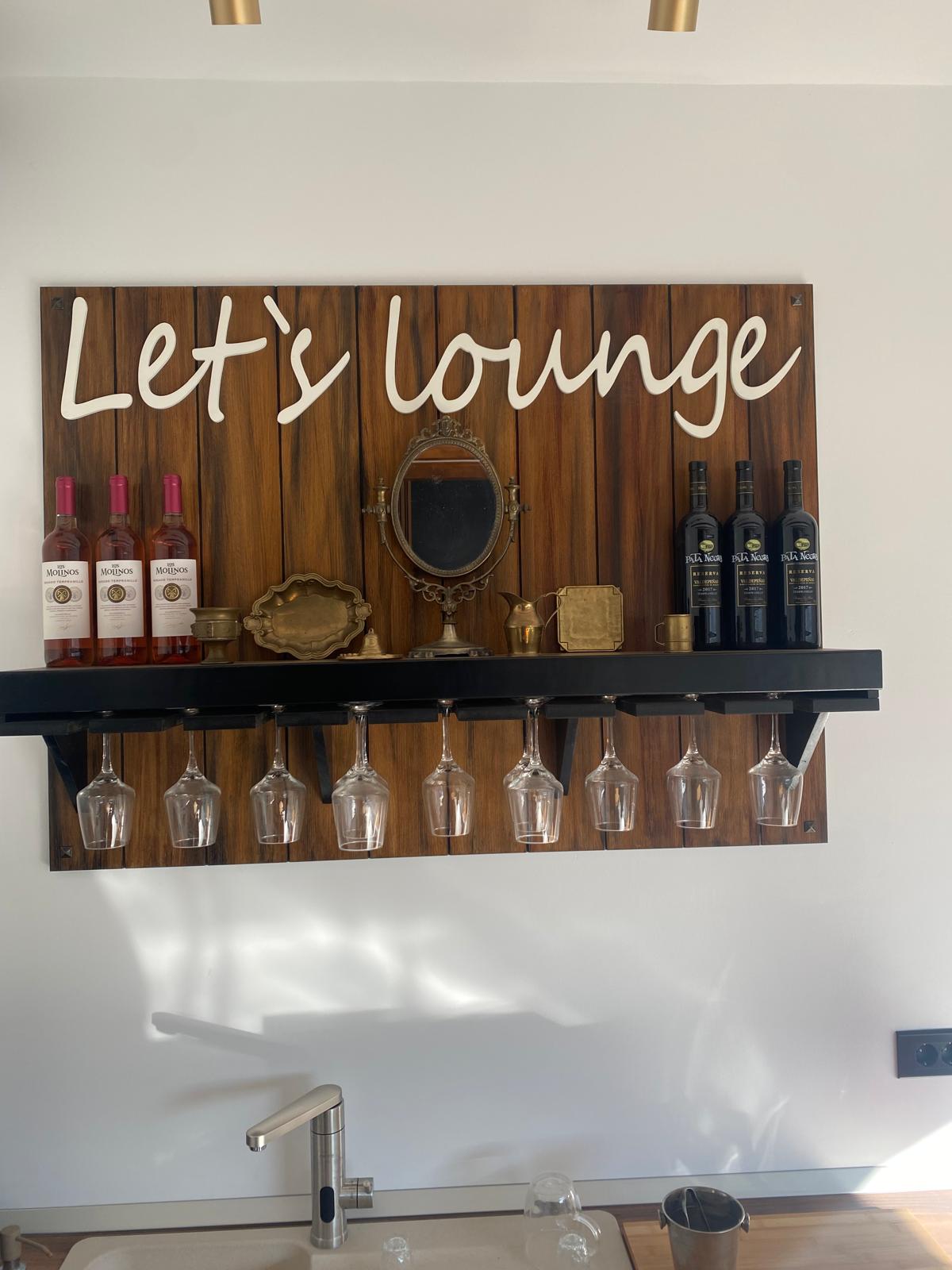
"Let's Lounge" Wine Bar Shelf
CNC-cut script lettering on a walnut panel with an integrated wine glass rack. This is a $500+ piece that takes one day from design to delivery. The toolpath? Three operations. That's it.
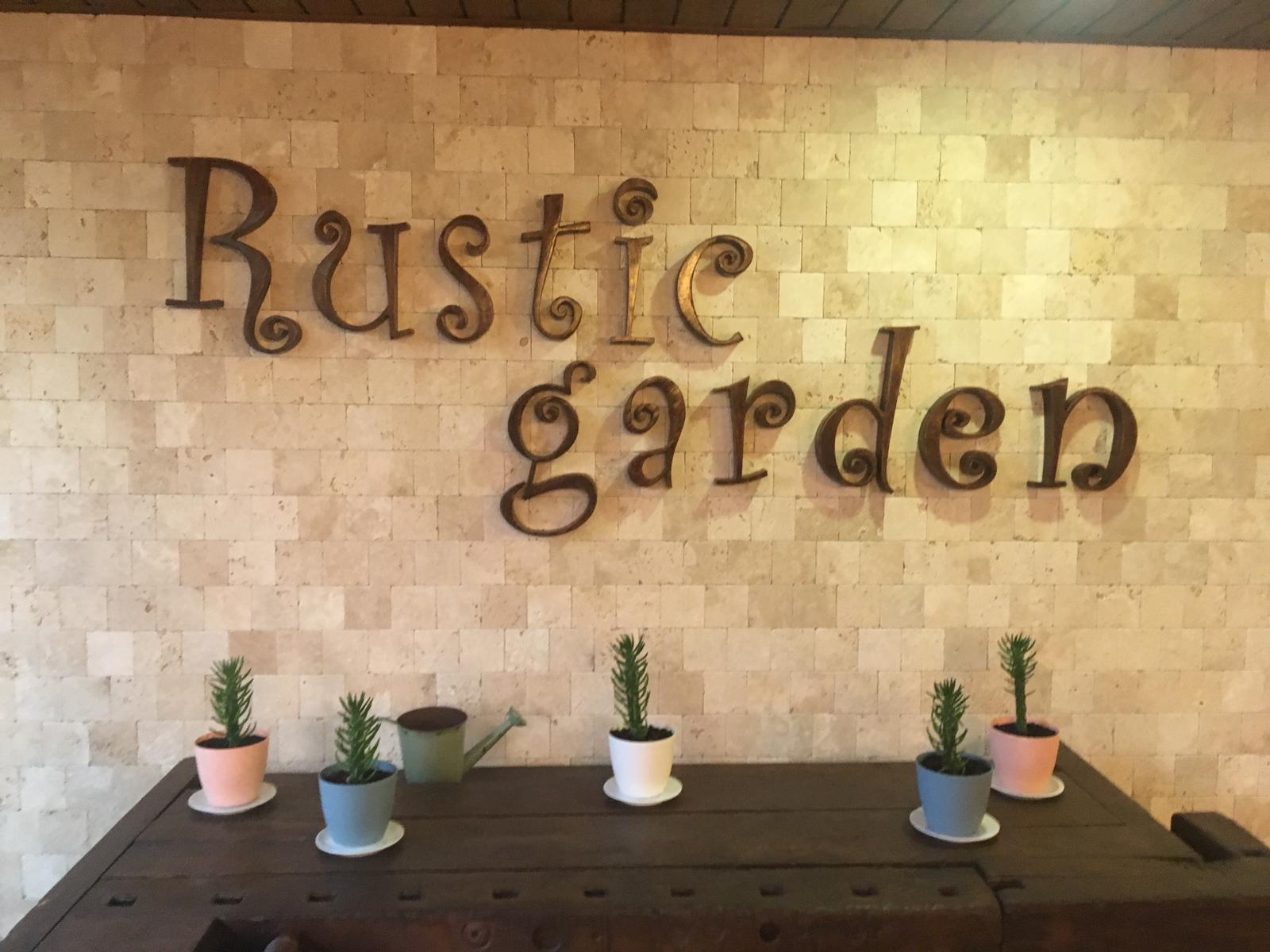
"Rustic Garden" 3D Letters
Individual CNC-cut letters, stained and mounted on a stone wall. This is the kind of project that gets you referrals without asking. One sign leads to five more.
High-End Art & Architecture
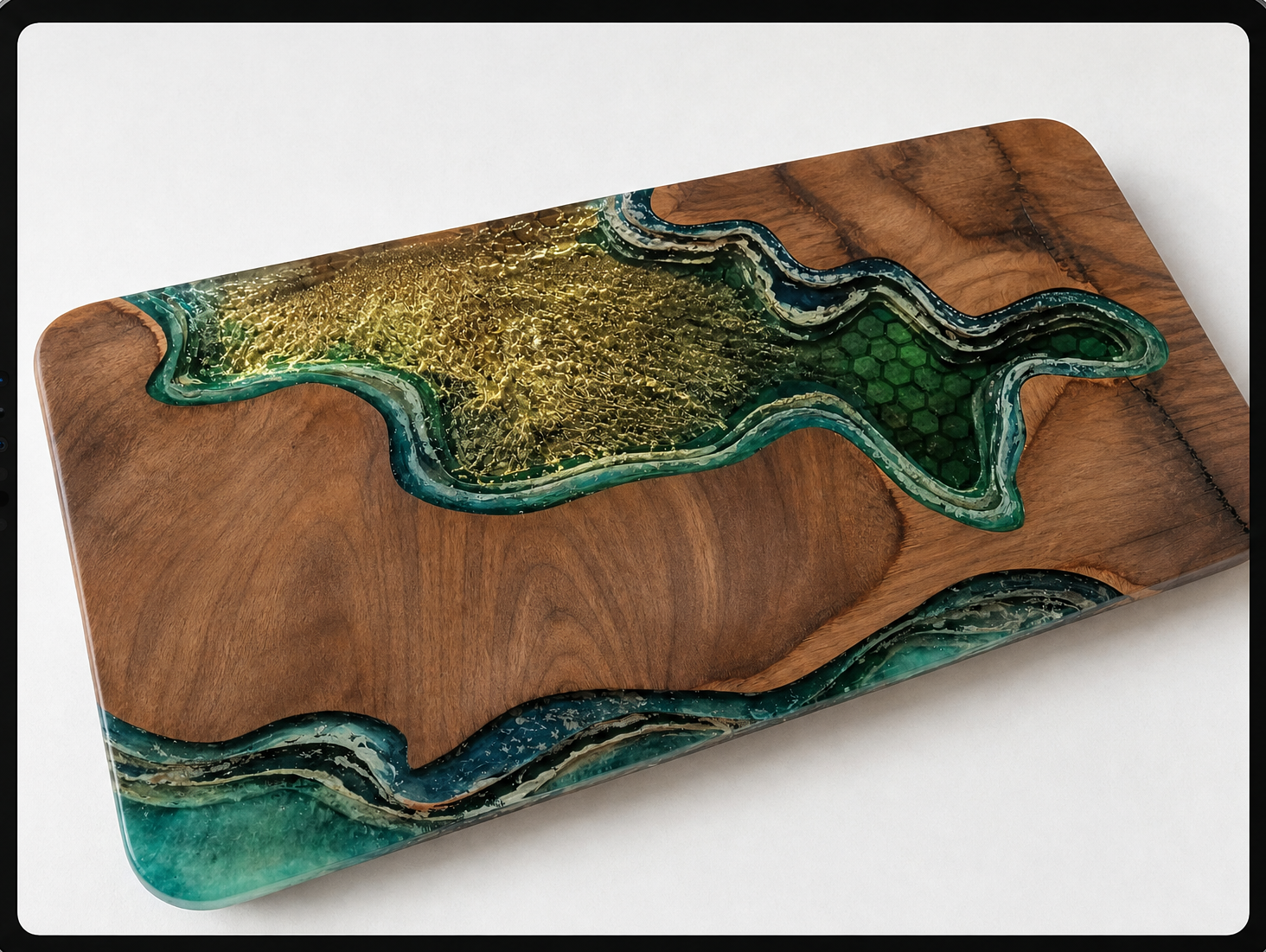
Epoxy Resin River Board
CNC-carved channels filled with teal and gold epoxy resin. This piece sold for $800. The CNC did the hard part — carving perfectly smooth, consistent channels that hold the resin without leaking. You can't do this by hand.
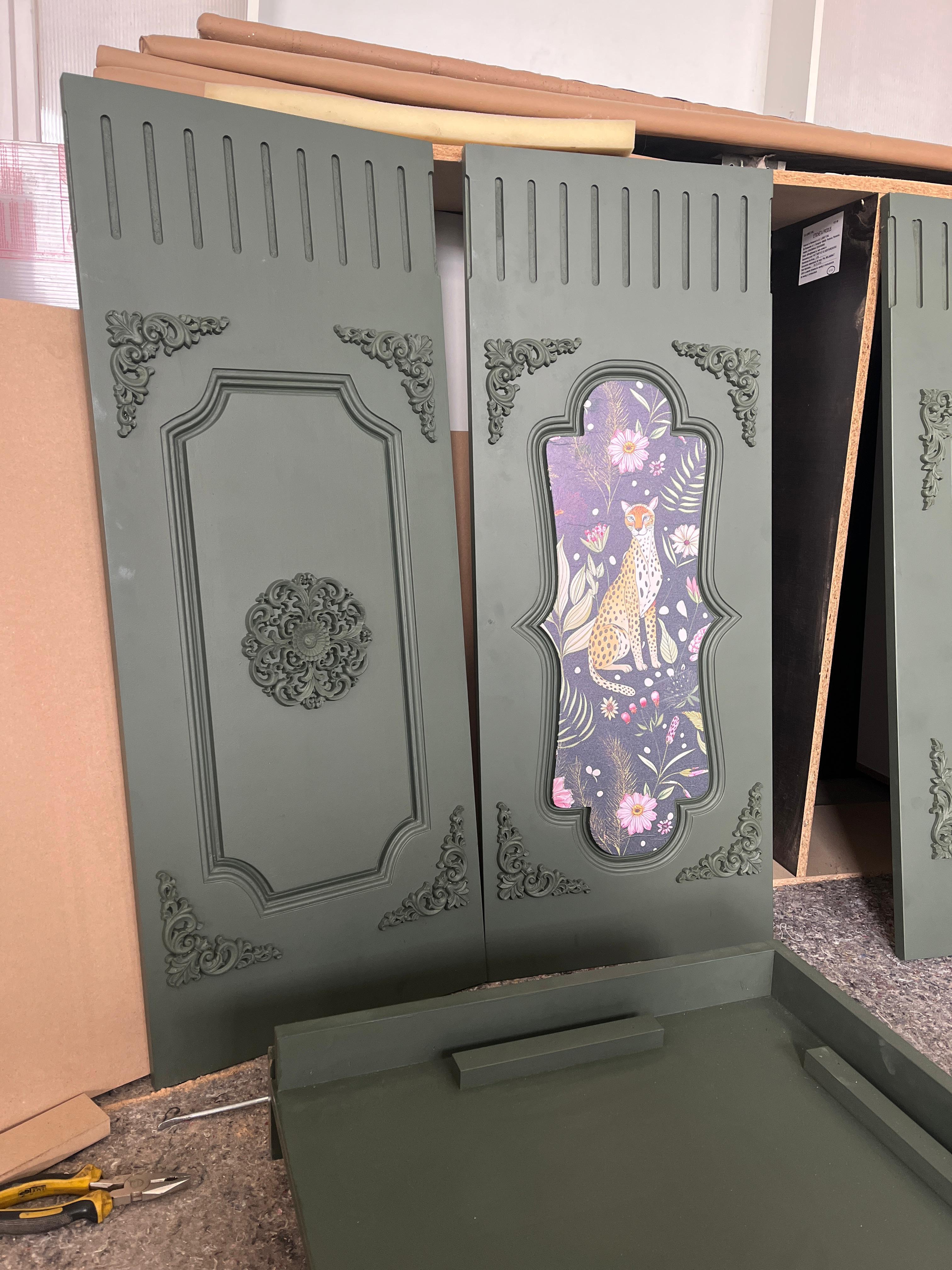
Ornate Baroque Door Panels
CNC-cut decorative panels installed at a restaurant entrance. Dark-painted MDF with intricate scrollwork patterns. This is architectural-grade work that commands premium pricing.
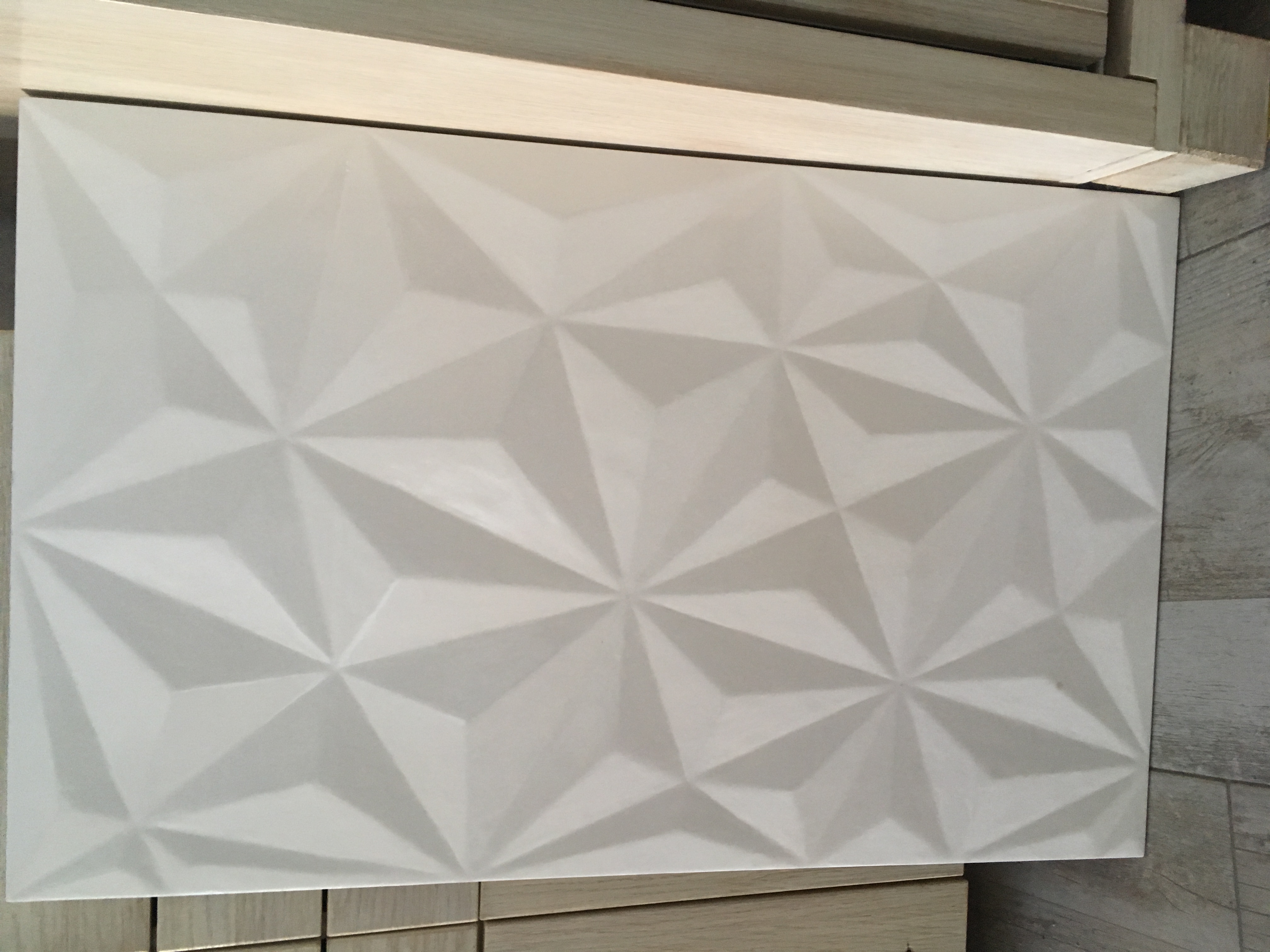
3D Relief Carvings
This is where the 3-axis router shows its true power — creating depth and detail that would take a hand-carver weeks.
Behind the Scenes (Design → Cut → Finish)
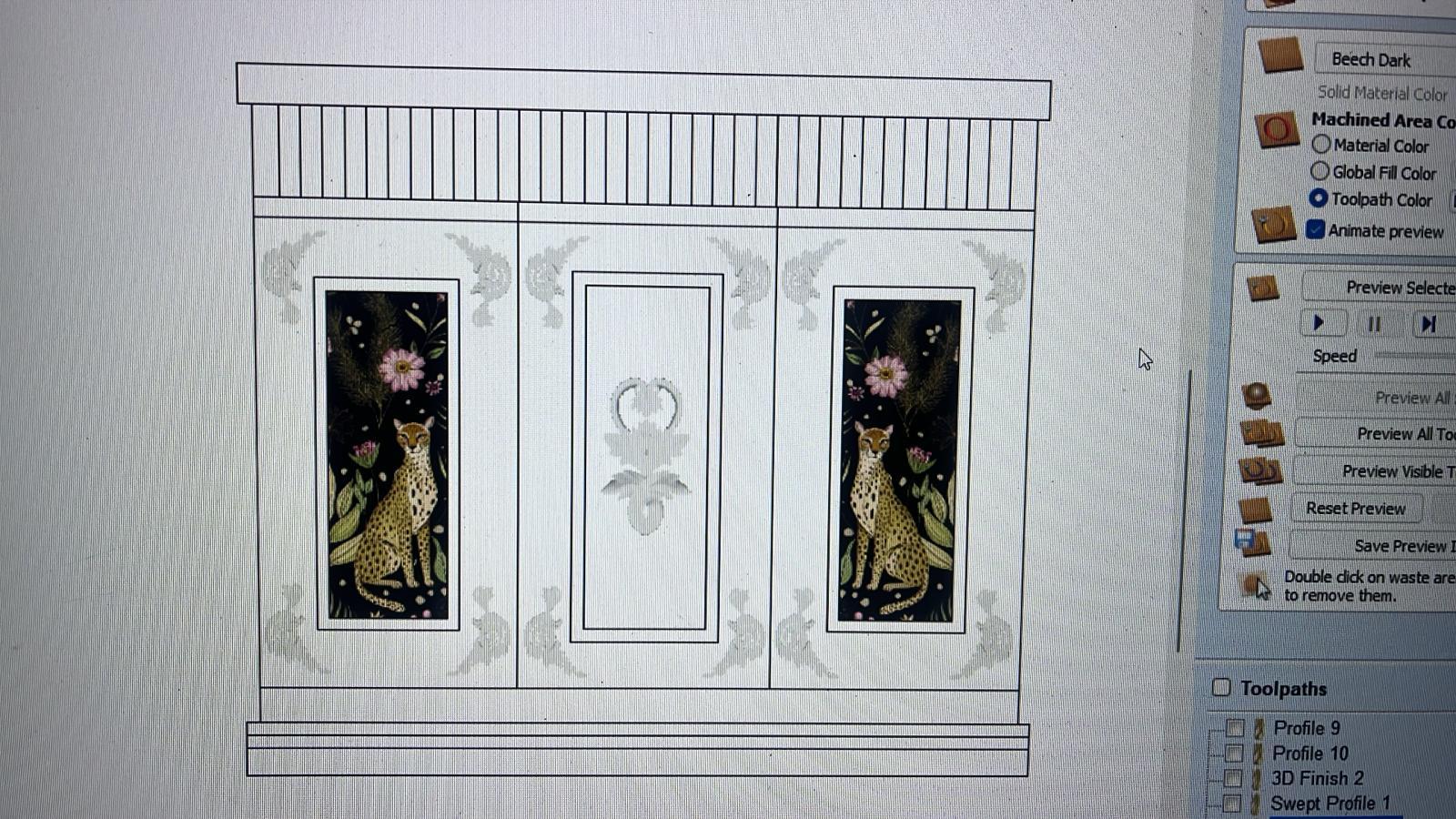
Vectric Aspire Workflow
Every project starts here. You'll see exactly how I set up toolpaths, choose bits, and preview cuts before the machine ever moves.
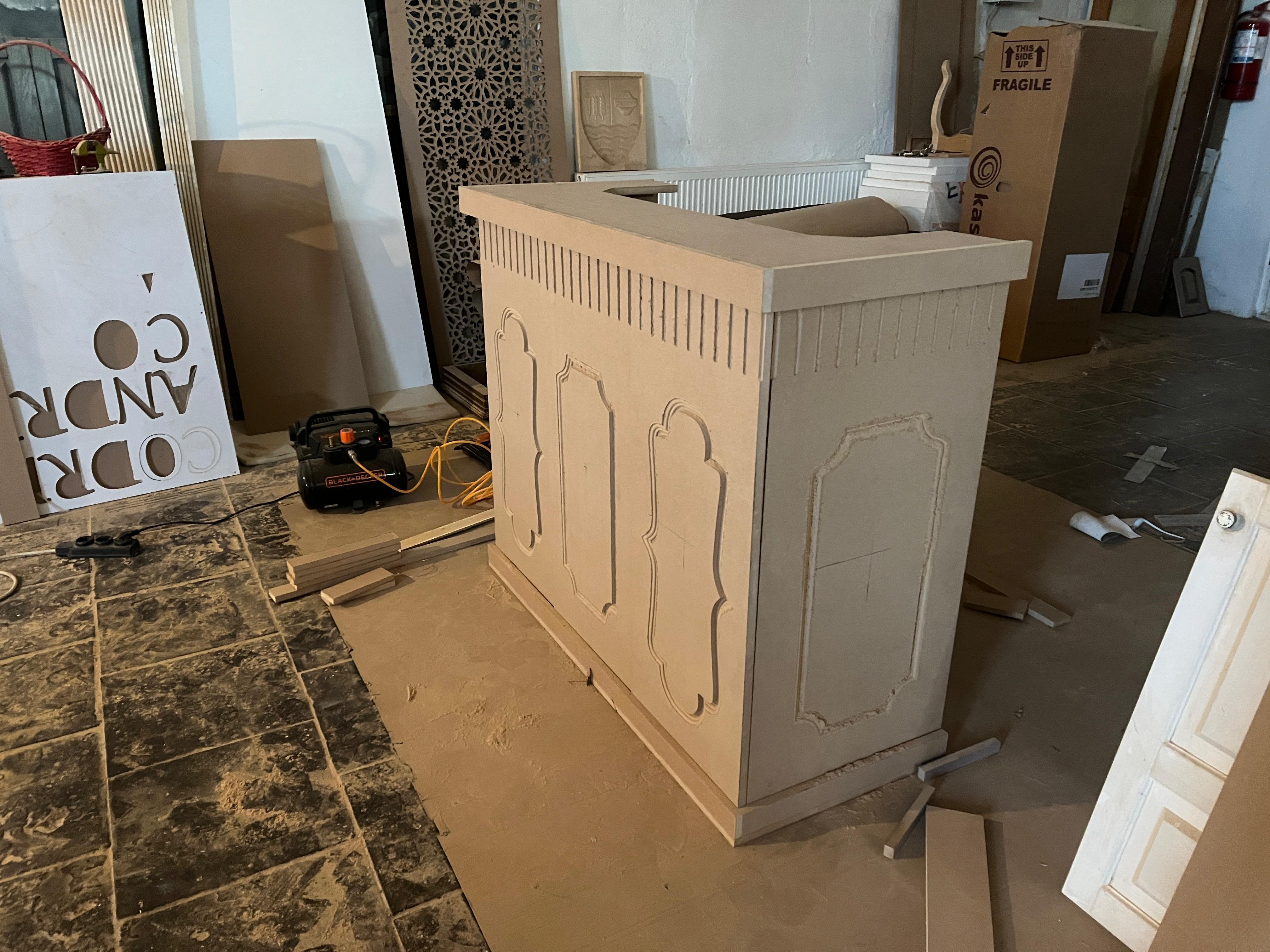
The Workshop Floor
This is where it happens. A CNC router, a laptop running Vectric, and a stack of material. That's all you need.
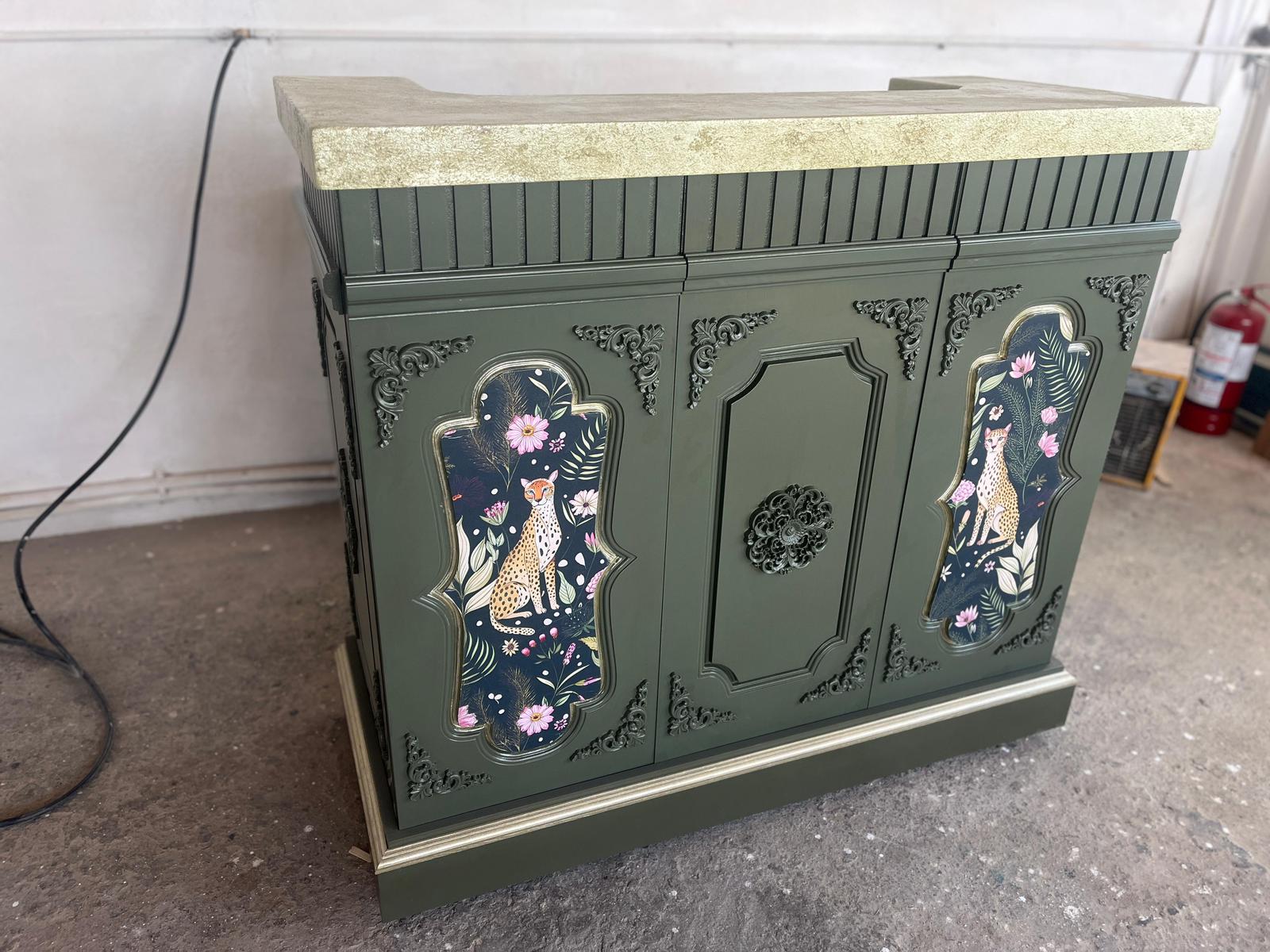
From Screen to Reality
First as a 2D preview in software, then as finished pieces. This is the transformation you'll learn.
Created by someone who grew up around machines, woodworking, and real production.
Toolpaths aren't magic. They're just a conversation between your bit and your material. I'll show you how to think about them so you never stare at a blank CAM screen wondering what do I click first?again.
You'll get my personal templates for Vectric Aspire that I use on every single project. Load them up. Adjust two settings. Hit go.
Please note: Results are not guaranteed. All information shared are for educational purposes only, and individual results will vary based on a variety of factors, including but not limited to effort, skills, experience, market conditions, and implementation. Due to the digital nature of this product, there are no refunds.
Testimonials